
Features

Before it's a tool, Kalinotes helps people understand each other.

A client who points out what bothers them, a contractor who knows exactly what to fix, and you who can sign off with peace of mind. Behind every web project there are human back-and-forths — Kalinotes finally gives them a clear home. We'll show you everything: the extension that captures right on the page, and the dashboard that brings every piece of feedback together in one place.

Free · No credit card · Trusted by 350+ pros

A team of freelancers and their clients collaborating on their web projects
💬
Every piece of feedback in its place On the right page, ready to handle

Two tools, one single flow

The extension captures, the dashboard centralises.

Your clients annotate right where the problem is. You find everything, organised, in your workspace.

🧩

The browser extension

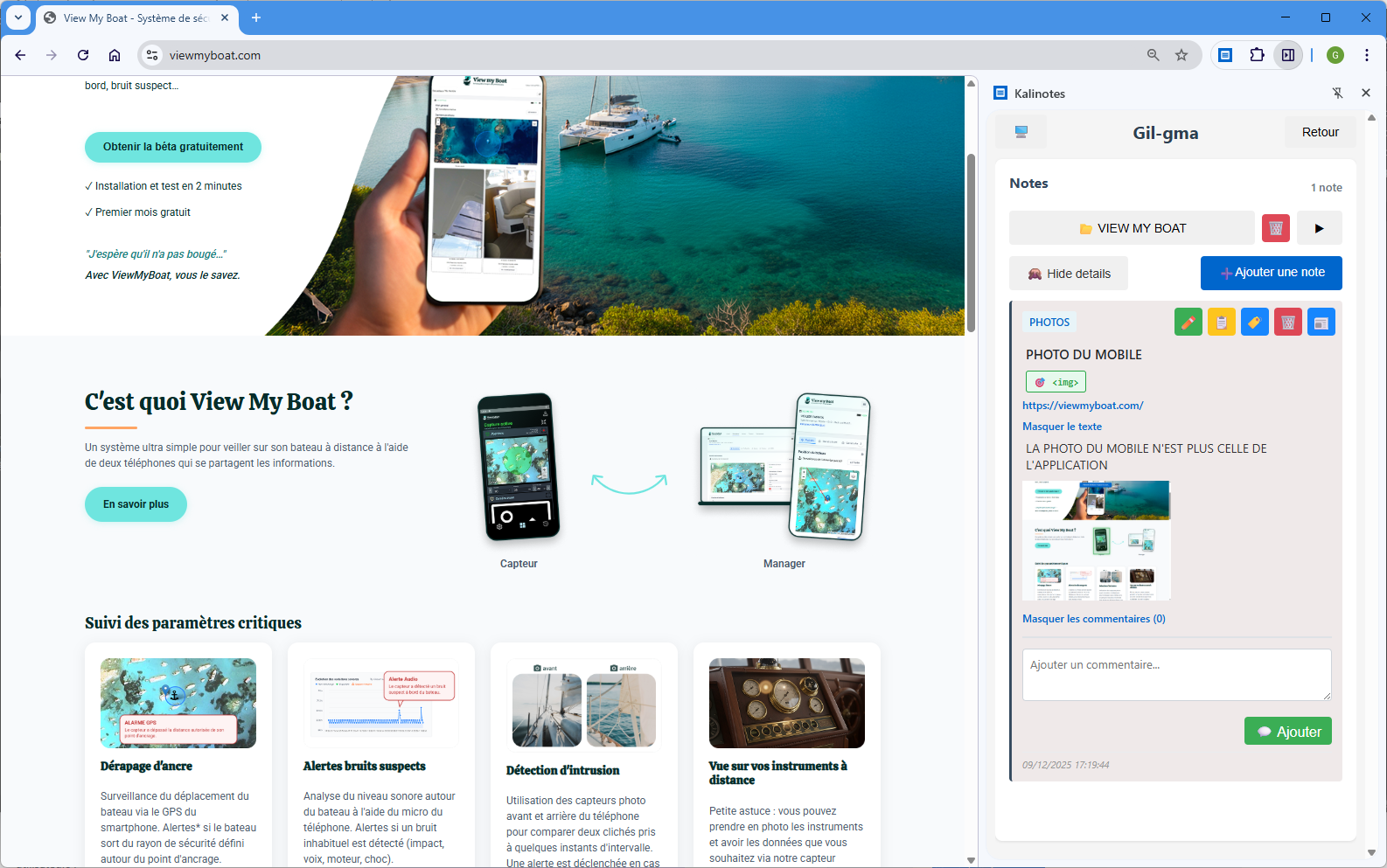
Sitting in Chrome, Firefox or Edge. Your client annotates the very page they're viewing, without creating a technical account.

  • A note in seconds, without leaving the page
  • Screenshot and exact URL saved automatically
  • Point to the relevant element with a single click
  • Everything synced to your account in real time
📊

The dashboard

Your back office at app.kalinotes.com: all the notes taken from the extension, gathered, sorted, tracked and shareable.

  • All feedback grouped by project and by category
  • Statuses, priorities, filters and search
  • Comments, sharing and access management
  • PDF reports, exports and automatic audits

The extension

Capture feedback right where it counts.

On the page itself, in context, without losing a thing.

🧩 Extension

Rich notes, not just a comment

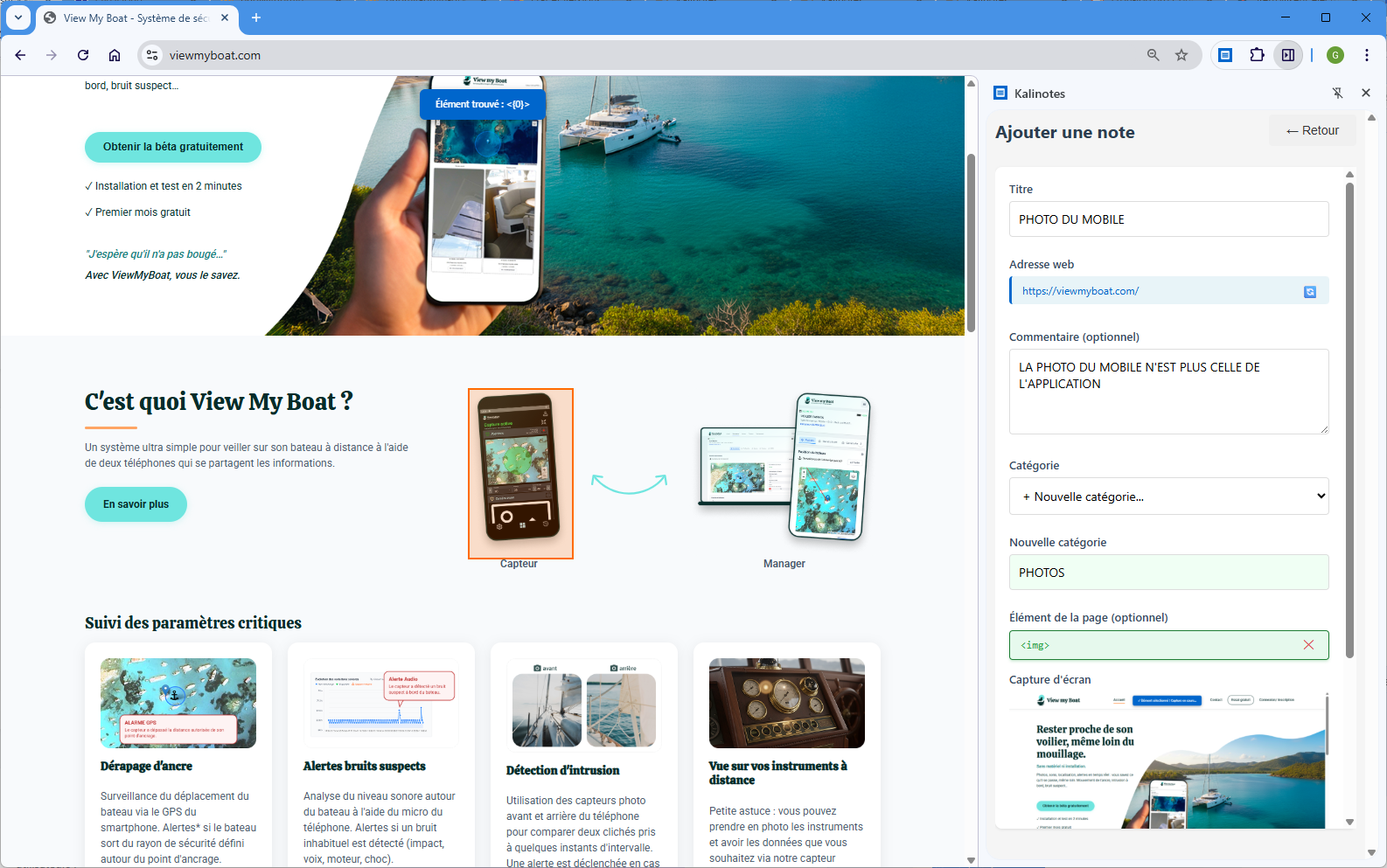
Every note brings together all the context needed to act without asking a question. A clear title, a detailed memo, a category, a project — and the page captured automatically.

  • Title + detailed memo: say what to change, and why
  • Automatic screenshot of the annotated page
  • Exact URL saved without any copy-pasting
  • Category & project chosen directly from the extension
Screenshot Creating a rich note from the Kalinotes extension
🧩 Extension

Point to the exact element, end the ambiguity

Hover over the page, click on the element concerned: Kalinotes remembers its position. The "it's this button, not the other one" becomes obvious to everyone.

  • Highlight of the targeted element on the page
  • Exact position kept with the note
  • Permanent visual context, impossible to misread
▶ Video demo Pointing to an element on the page and annotating it with Kalinotes

One-click capture

Document an observation in seconds, without leaving the page you're viewing.

🎨

Test live

CSS injection and text replacement : instantly show a design variation on the site.

🔁

Auto sync

Your notes flow up to your account in real time, accessible from any device.

The dashboard

All feedback, gathered in one place.

This is where the notes taken on the extension become real project management — not an inbox.

📊 Dashboard

An overview, project by project

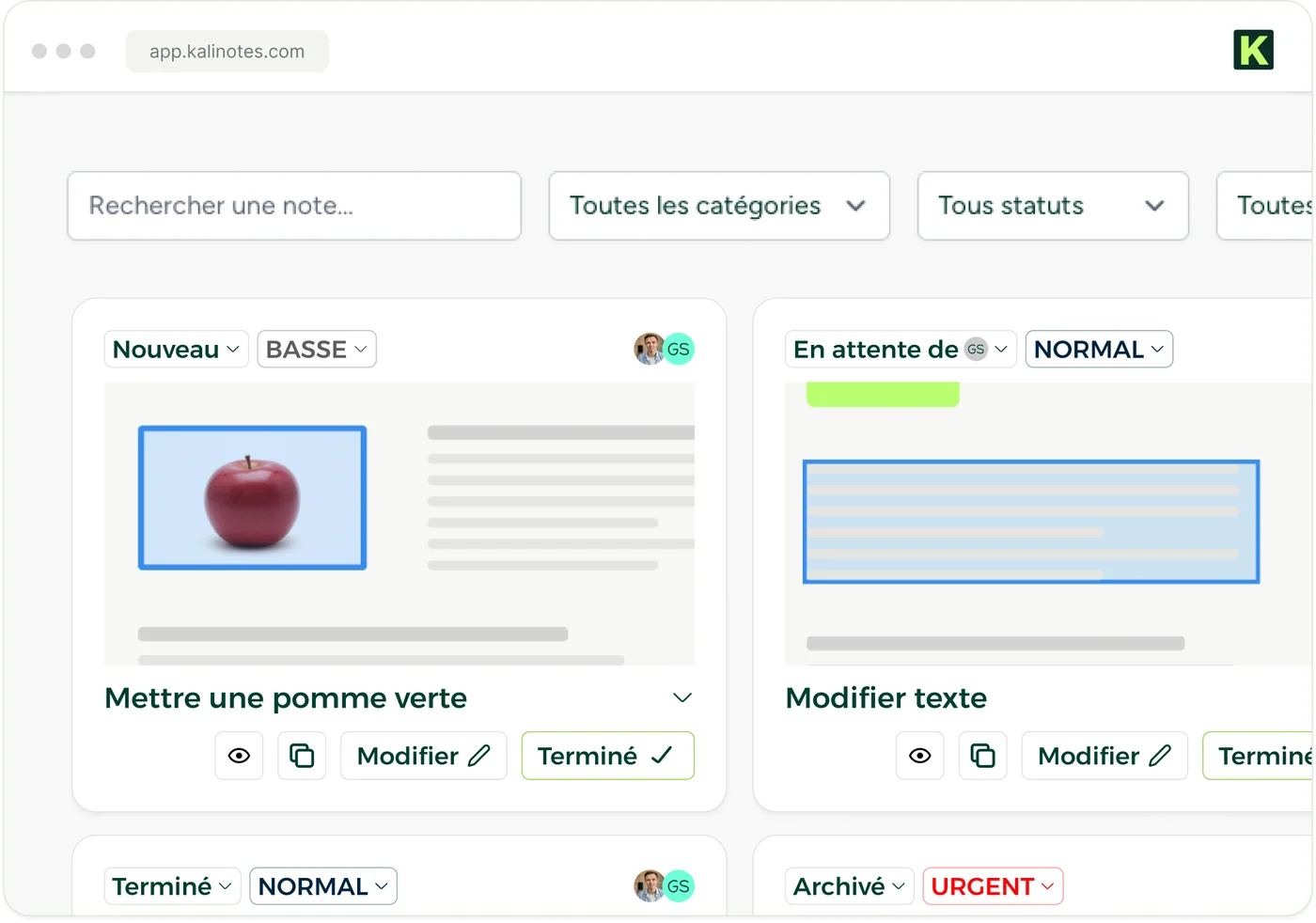
Every note captured on the extension lands here, sorted by project and by category. You can see at a glance what's open, in progress, done.

  • One project per client, site or assignment
  • Customisable categories: Bug, Design, Content, Urgent…
  • Statuses & priorities to track progress
  • Tick off tasks as you go
Dashboard screenshot The Kalinotes dashboard showing the client's notes as cards (status, priority, screenshot)
The dashboard brings together all the notes saved via the extension.
🏷️

Bespoke categories

Create your own categories to sort and find every note instantly.

Statuses & tracking

Pending, in progress, done. Your contractors mark tasks complete as they go.

🚦

Priorities

Blocking, important, minor: handle what really matters first.

🔍

Filters & search

Filter by project, category, date or status. Find a note in two seconds.

💬

Unlimited comments

Discuss under each note, reply, mark as resolved. No more scattered emails.

☁️

Secure storage

Notes stored securely, hosted in France, synced across all your devices.

Collaboration & sharing

The right access, to the right person.

Invite clients and contractors, without them having to become experts in the tool.

📊 Dashboard

Share a project with a single link

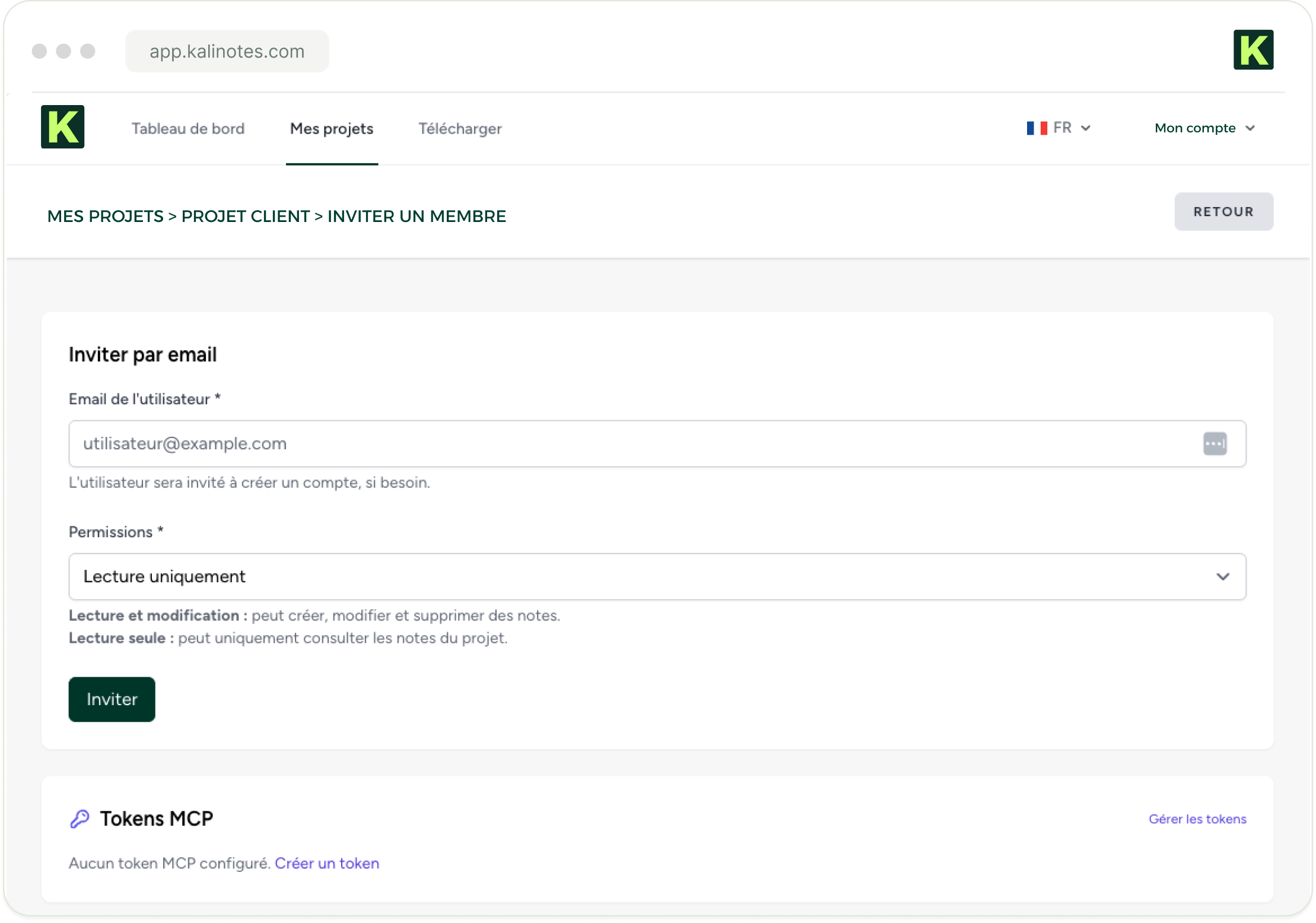
A unique, secure link gives access to the notes online, in an interactive interface. Your clients follow progress without installing anything.

  • Read-only or read/write depending on the person
  • Secure links: unique, revocable, optional expiry
  • Email invitations and centralised access management
  • Real-time notifications on shared activity
Screenshot Inviting a member and managing access to a project in Kalinotes

Reports & audits

Deliver a pro report, not a Word file.

Turn your notes into a clear document — and let Kalinotes audit your pages for you.

📊 Dashboard

PDF reports in two clicks

Select a project, choose the notes, generate a clean PDF, ready to send to the client as a QA review summary.

  • All the notes, with screenshots and exact URLs
  • Categories, dates and statuses included
  • Simple reports (Personal) and advanced ones (Pro / Expert)
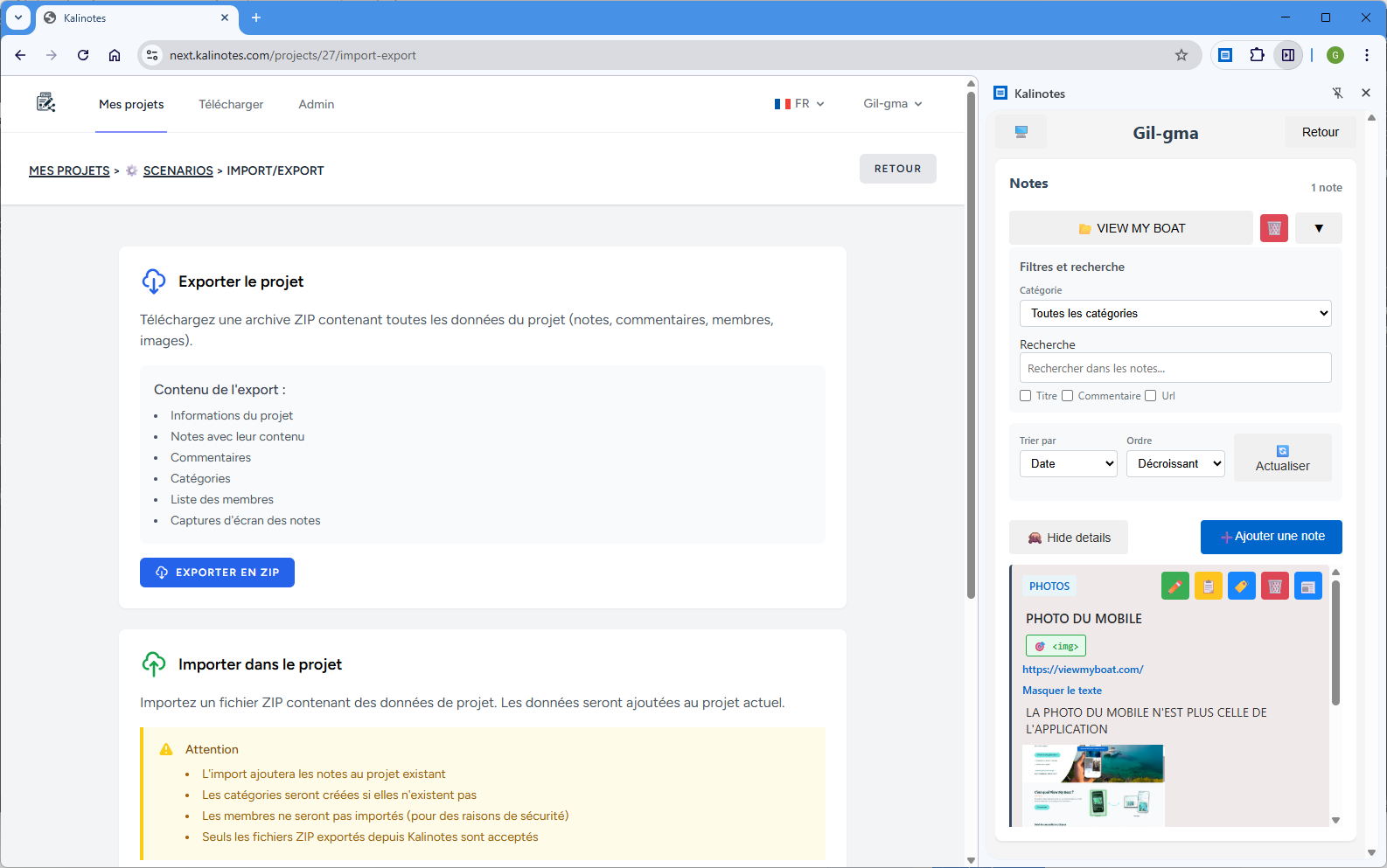
  • Project/note export as ZIP, PDF or CSV
▶ Video demo Generating a PDF report from the Kalinotes dashboard
⚙️ Automatic audits

The macros that audit your pages all on their own

Drop a macro into a note and Kalinotes analyses the page: hundreds of criteria checked automatically, a detailed report generated in Markdown, with an overall score and priority actions.

{K-SEO}{K-LINK}{K-TEXT}{K-ACCESS}{K-CHART}

AI & connectors

Plug in your AI, link up your tools.

Let your AI copilot do the documenting while you decide and fix.

🤖 AI connector

The MCP connector & the Claude skills

The MCP connector gives your Claude assistant direct access to your projects, categories, notes and comments — it reads and writes in real time. The 8 skills turn your reviews into automated workflows.

  • /kalinotes-qa: functional, UX, performance and security audit of an app
  • /kalinotes-bug: structured, reproducible bug reports
  • /kalinotes-review: project summary, tasks and decisions
  • + capture, ADR, search, standup, snippet
▶ Video demo The MCP AI connector and the Claude skills for Kalinotes
Claude
Claude / MCPYour AI copilot plugged in
Trello
TrelloYour cards & your workflow
GitHub
GitHubFeedback as issues
GitLab
GitLabLinked to your merge requests

Available everywhere

On your browser, on all your screens.

One-click install, a single account, synced everywhere.

🌐 Chrome 🦊 Firefox 🧭 Edge

Ready to transform
your client feedback?

Install the extension in one click. First note in 30 seconds.

  • 🔒 GDPR
  • 🇫🇷 Hosted in France
  • ✓ No credit card